RTX5 Mobile Trading Preview
Explore the planned mobile scope for accounts, orders, alerts and broker-hosted bot controls. iOS and Android access, supported tasks and tested builds require confirmation.
Your Trading Platform in Your Pocket
RTX5 Mobile is planned for reviewing accounts, managing permitted orders and monitoring broker-hosted bots. Confirm each task against the supported mobile build; compilation and backtesting belong to the proposed desktop workflow.
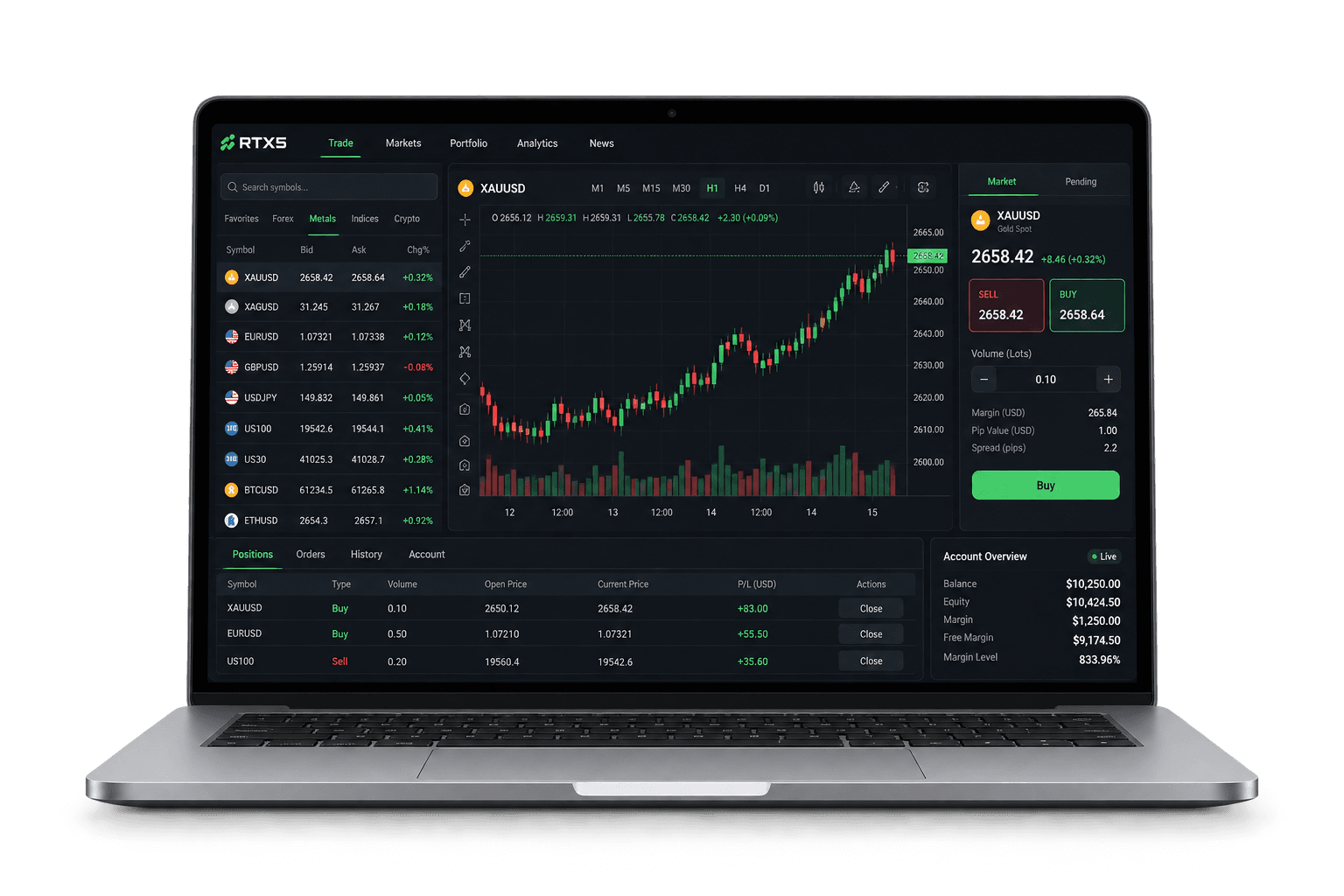
Planned Mobile Features
Real-Time Trading
Planned order entry and position views, subject to broker permissions and connectivity.
Advanced Charts
Proposed charts and indicator views; supported studies and timeframes need build-level confirmation.
Push Notifications
Planned event alerts; delivery depends on device settings, network and broker configuration.
Multi-Asset Access
Instrument access depends on the broker, jurisdiction and account permissions.
Secure Login
Confirm authentication, session expiry and lost-device recovery for the supplied build.
User-Friendly Interface
Proposed touch controls for reviewing accounts and permitted trading actions.
Planned for Speed & Simplicity
Mobile Use Cases, Scoped by Broker
Planned account monitoring
Review order-entry permissions
Confirm position controls
Test mobile alert delivery
Proposed Client Ecosystem
Account workflows and hosted algorithm control
Use this scope guide to discuss mobile access with your broker. Public iOS and Android listings are coming soon; the workflows below describe the proposed client experience.
- 01
Confirm the account
Choose the approved broker server, authenticate and confirm demo/live status, account currency and available permissions. Check the latest synchronized balance and positions.
- 02
Review an order
Select the instrument and inspect its trading hours, volume rules and current quote. Review the order type, quantity and any supported protection levels before submission.
- 03
Confirm server acceptance
Read the server acknowledgement and order identifier. A tap or a loading indicator does not confirm execution. Reconcile the order list before retrying after a network interruption.
- 04
Monitor account state
Use positions, order history and alerts to follow the account. Reconnect and refresh server state after a session expires or the device loses its connection.
Swipe horizontally to view all columns.
| Action | Expected control | Boundary |
|---|---|---|
| Start | Select an eligible instance, review inputs and request a start. | Broker entitlement, permissions and resource quota must permit execution. |
| Monitor | Inspect server-reported running state, events and failures. | Phone status is not the hosted process status. |
| Stop | Request a stop and confirm server acknowledgement. | Stopping an algorithm does not necessarily close existing positions; the execution policy must specify this. |
| Phone disconnect | A hosted instance is designed to run on broker infrastructure independently of phone uptime. | This planned behavior requires runtime and reconnect testing before release. |
Mobile control of a proposed broker instance
The client would display server state and request permitted actions. Broker bot execution remains on server infrastructure; the client does not run an unrestricted native strategy package.
Swipe horizontally to view all columns.
| Client task | Required information or behavior |
|---|---|
| Identify the instance | Show demo/live status, broker, account, package version, permissions, hosting charge and applicable risk limits. |
| Monitor state | Show server-reported lifecycle state, last heartbeat, P&L and risk status. Mark stale or unavailable data explicitly; a disconnected screen must not falsely show stopped. |
| Activate or change risk | Require confirmation for live activation and material risk increases. Use a request ID and expected version, then wait for the authoritative server result. |
| Choose a stop action | Explain stop-new-orders, cancel-pending-orders and close-position choices separately according to approved broker policy. Display the confirmed outcome. |
| Reconnect | Retrieve the latest instance, order and position state before retrying an uncertain request. A permitted hosted bot is intended to continue under server risk controls while the client is disconnected. |
| Notifications | Use authenticated notifications that prompt the user to open the client; do not put sensitive account secrets into push content. |
iOS and Android release and entitlement review
Public store availability remains unconfirmed. The proposed app is an account and marketplace control client; broker bots execute on server infrastructure.
Swipe horizontally to view all columns.
| Review area | Evidence needed |
|---|---|
| Publisher and access | Approved submitting entity, broker authorization, branding rights, supported territories, tested device/OS matrix and an actual approved listing. |
| Review access | Working reviewer demo access showing server execution, bot controls, marketplace moderation and all paid capabilities. A generic streamed desktop is not a substitute for documenting the app. |
| Purchase and entitlement | A store-by-store, country-by-country review of software and hosting payment routes, eligible restoration, refunds and revocation. These decisions are pending; no approved payment exception is asserted here. |
| Data and privacy | Document account, strategy, source and telemetry flows; align privacy disclosures and store declarations with actual collection and access. |
| Broker campaigns | Review the actual broker, product, territory and client class before enabling rewards or free hosting. Record approval and eligibility for every offer. |
Swipe horizontally to view all columns.
| Gate | Pass condition |
|---|---|
| Payment and entitlement matrix | Store-by-store, country-by-country payment and entitlement matrix approved. |
| Publisher and broker authorization | Appropriate publisher/legal entity and evidence of broker authorization documented. |
| Reviewer inspection | Store reviewer can inspect server execution, bot demo, marketplace moderation and paid features. |
| Branding and original UI | Broker/app branding rights and original UI checked. |
| Privacy and data-safety | Privacy/data-safety forms match source, strategy and account data flows. |
| No implied listing | No promise that listing in Google Play or the App Store is already approved. |
Swipe horizontally to view all columns.
| Control | Requirement |
|---|---|
| Bonus ledger | Separate bonus-credit ledger from cash and client money; show withdrawability and expiry. |
| Dual approval | Two-person policy approval and immutable campaign version. |
| Eligibility checks | Date/residence/entity/product/group eligibility and sanctions/age checks where applicable. |
| Vested balances | No retroactive reduction of vested balances or unclear turnover conditions. |
| All grant routes | Policy engine covers direct and IB campaigns, coupons, manual credits and API grants. |
| Hosting rewards | Free-hosting rewards reviewed separately; do not assume information/research-tool exclusion applies to automated execution. |
Performance to Validate
Measure on supported devices
Publish test conditions
Test disconnect recovery
Reconcile account state
Review Mobile Security
Planned for Mobile Devices
Your Trading Platform, Wherever You Go
Explore planned mobile account views, order controls and broker-hosted bot monitoring. Device support and tested task coverage require confirmation.
Account monitoring
Proposed balance, position and order views.
Charts and market information
Confirm supported charts and instruments in the mobile build.
Alerts and notifications
Test notification conditions and delivery for the device.
Trading controls
Confirm order and position permissions in the mobile build.
Secure authentication
Review session expiry, access rights and account recovery.
App Store and Play listings are coming soon until a verified listing exists. iOS and Android availability is not claimed as live here.
Explore RTX5 Mobile Access
Request the supported device list, tested tasks and access instructions. Official iOS and Android listings have not yet been confirmed.
Check Mobile Availability